

Available now
Run client work on boards your clients can actually see.
GraceSoft Skylight is a fast, drag-and-drop Kanban board for freelancers and small agencies — with real team permissions, two-factor security, and a branded Client Portal link you can hand to anyone. No account, no seat, no awkward guest invite.
Free plan — 3 boards, 3 teammates, forever. No card required.
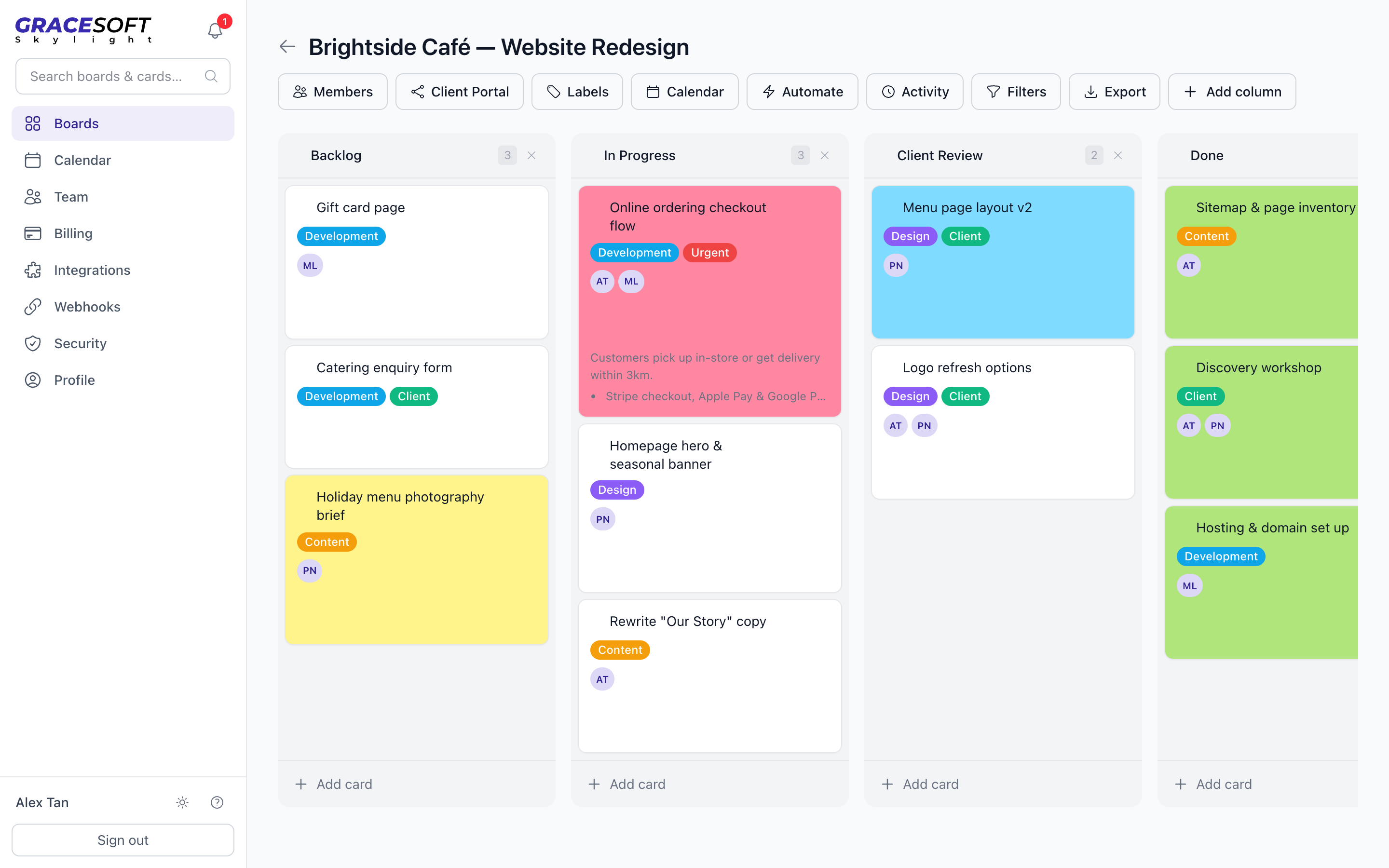
Boards that feel instant
Drag-and-drop columns and cards with labels, colours, assignees and due dates — plus keyboard shortcuts, saved filters and global search, built for people who move fast.
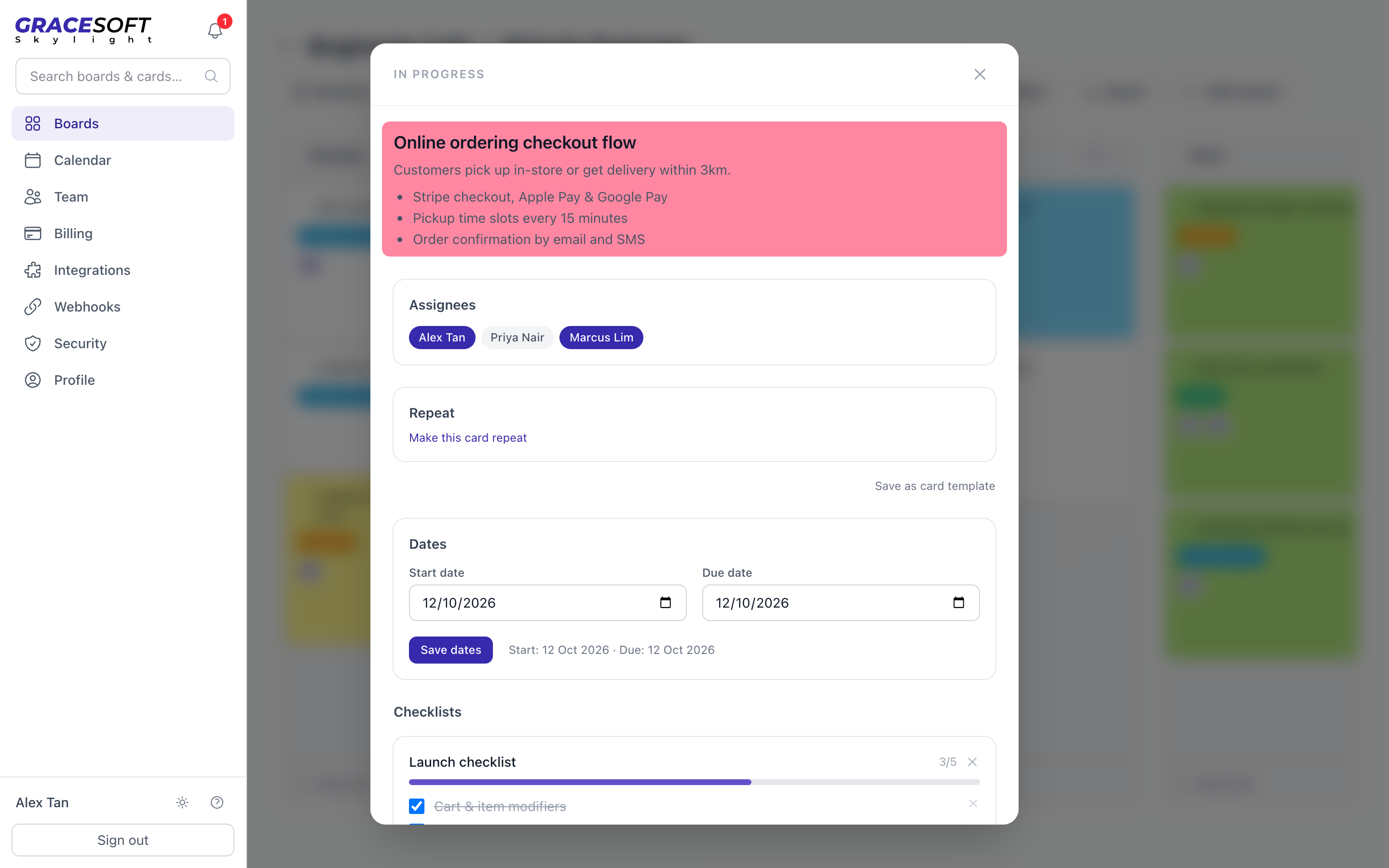
Everything lives on the card
Markdown notes, checklists with progress, comments with @mentions, attachments, recurring cards and templates — the whole job in one place, not scattered across tools.
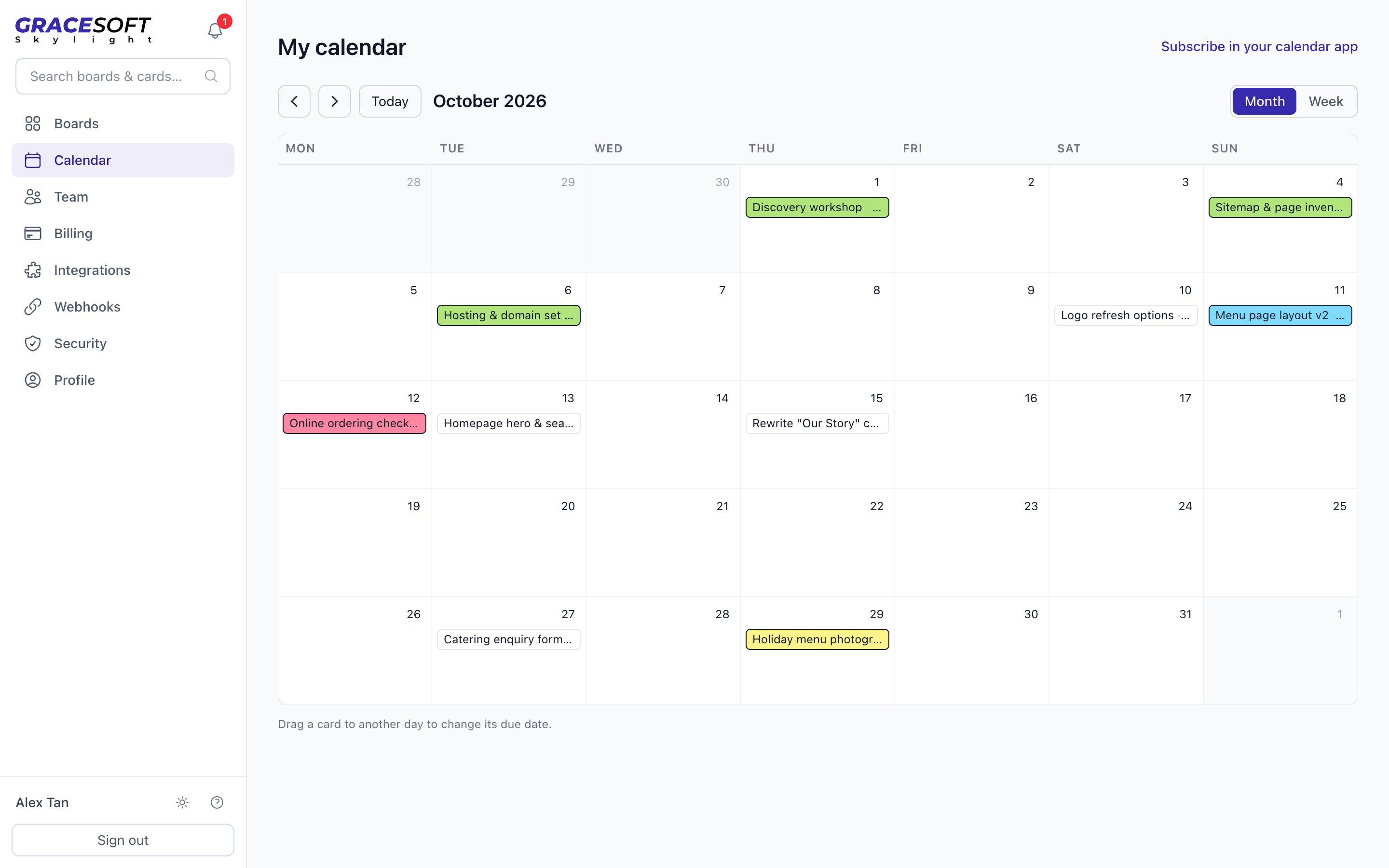
See every deadline at a glance
Month and week views across all your boards, drag a card to reschedule it, and subscribe with a private iCal feed in the calendar app you already use.
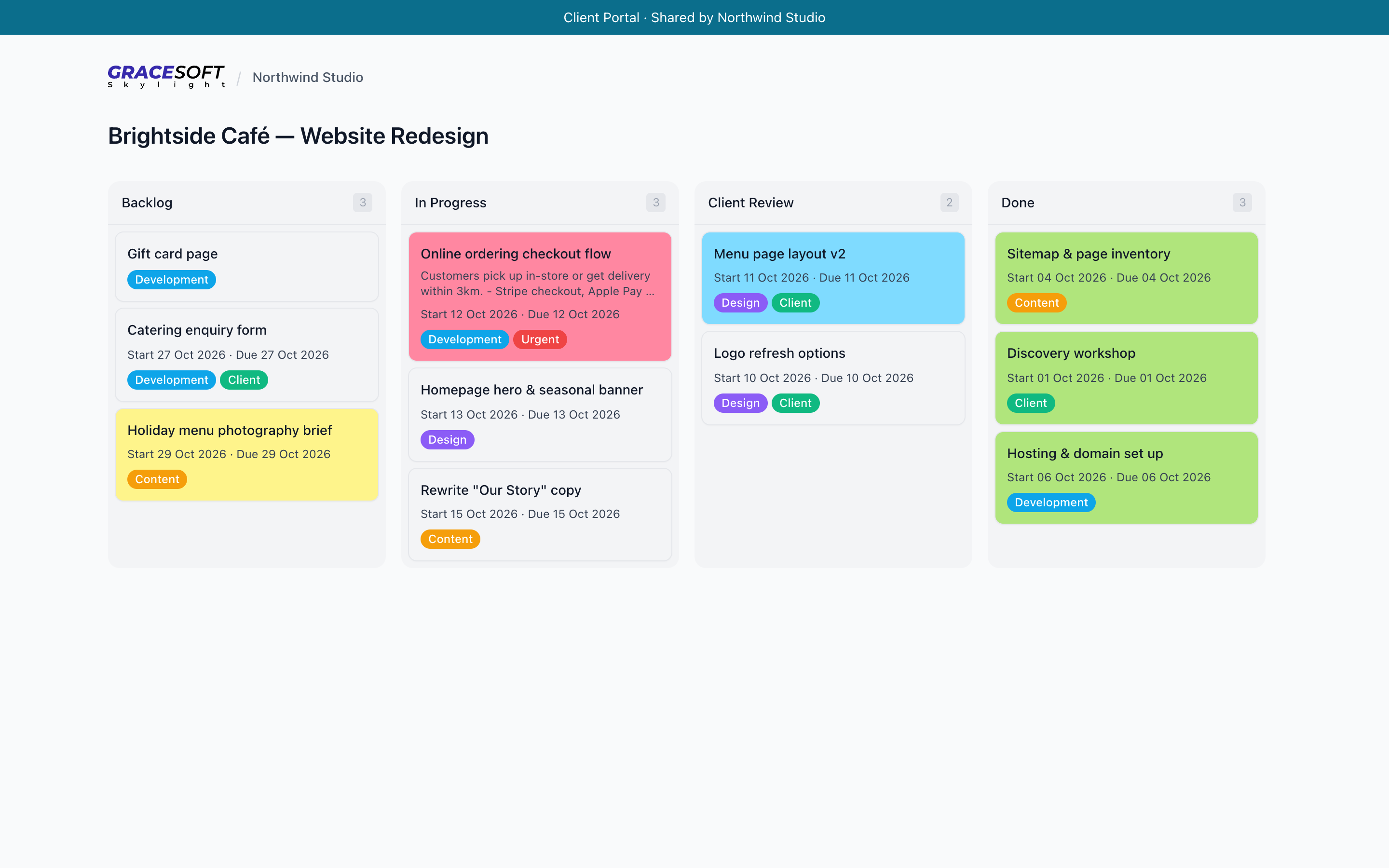
A portal your clients will actually open
Share a read-only, branded link to any board — with your workspace name and colour. Hide internal columns, protect it with a password or expiry, collect client comments and approvals, and revoke it instantly.
How It Works
- 01
Plan the work
Create a board per client or project, set up your columns, and turn a brief into cards — with templates and recurring cards for the work you do every month.
- 02
Work as a team
Invite teammates as owners, editors, commenters or viewers. Roles are enforced on the server, and a live banner tells everyone when the board changes.
- 03
Share with your client
Send one Client Portal link. Your client sees progress, leaves feedback and approves work — without ever creating an account.
Features
Client Portals
Branded, read-only share links with password, expiry or email protection, hidden columns and cards, client comments and approvals, and custom domains.
Real Team Permissions
Owner, editor, commenter and viewer roles enforced server-side, not just hidden in the UI — with email invites, assignees and a per-board audit log.
Calendar & iCal Feeds
Month and week views, drag to reschedule, per-user timezones and private iCal feeds for Google, Apple or Outlook calendars.
Automation
Recurring cards, automation rules, email-to-card, Trello import and a daily digest by email or Telegram.
Secure by Default
Two-factor authentication, passkeys, Google, GitHub and Microsoft sign-in, "require SSO" for teams, and nightly backups with a tested restore.
Built to Connect
A REST API, outgoing webhooks and a Slack integration — plus CSV and JSON export whenever you want your data out.
Opt-In AI
Off by default and switched on per board by its owner: turn a brief into cards, draft a client update, or ask questions across your boards.
Use Cases
Freelancers
Keep every client's project on its own board, and replace status emails with a link they can check any time.
Small Agencies
Give the team one place to plan and deliver, with roles that keep internal work internal and client-facing work polished.
Design & Creative Studios
Put work in a "Client Review" column and collect comments and approvals right on the portal — no more feedback buried in email.
Web & Software Projects
Track builds, launches and maintenance retainers, and plug the board into your stack with the API, webhooks and Slack.
Consultants
Show clients exactly what's done, what's next and what's waiting on them — branded with your name, not ours.
Retainers & Recurring Work
Recurring cards and templates turn monthly reports, check-ins and maintenance into work that sets itself up.
Simple pricing with no seat games. Start on Free (3 boards, 3 teammates), move to Pro at $12/month for unlimited boards, calendar, automations and protected share links, or Team at $29/month for unlimited members, client approvals, branding, custom domains and SSO. See full pricing.