

Available now
Put your text down. Find it fast. Share only what you choose.
GraceSoft Drawer is a private, privacy-first home for your notes, snippets, prompts and drafts. Find any note in seconds, send one as a link or an email, and choose exactly which notes your AI can read.
Free plan, no card required. Drawer is in alpha.
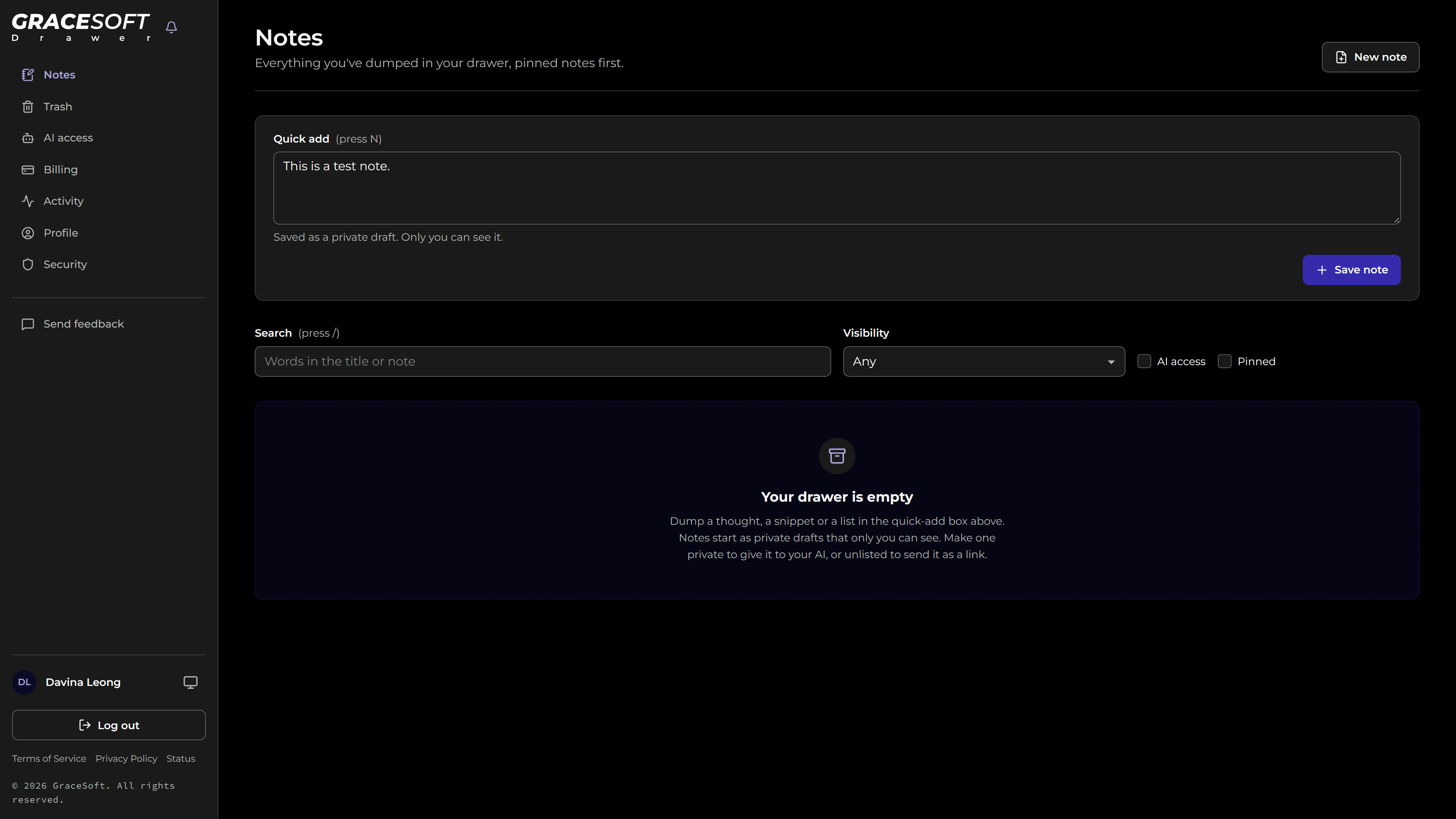
One box, one keystroke
Press N, type and save. Every note lands as a private draft, and search (press /) and filters for visibility, AI access and pinned notes sit right underneath.
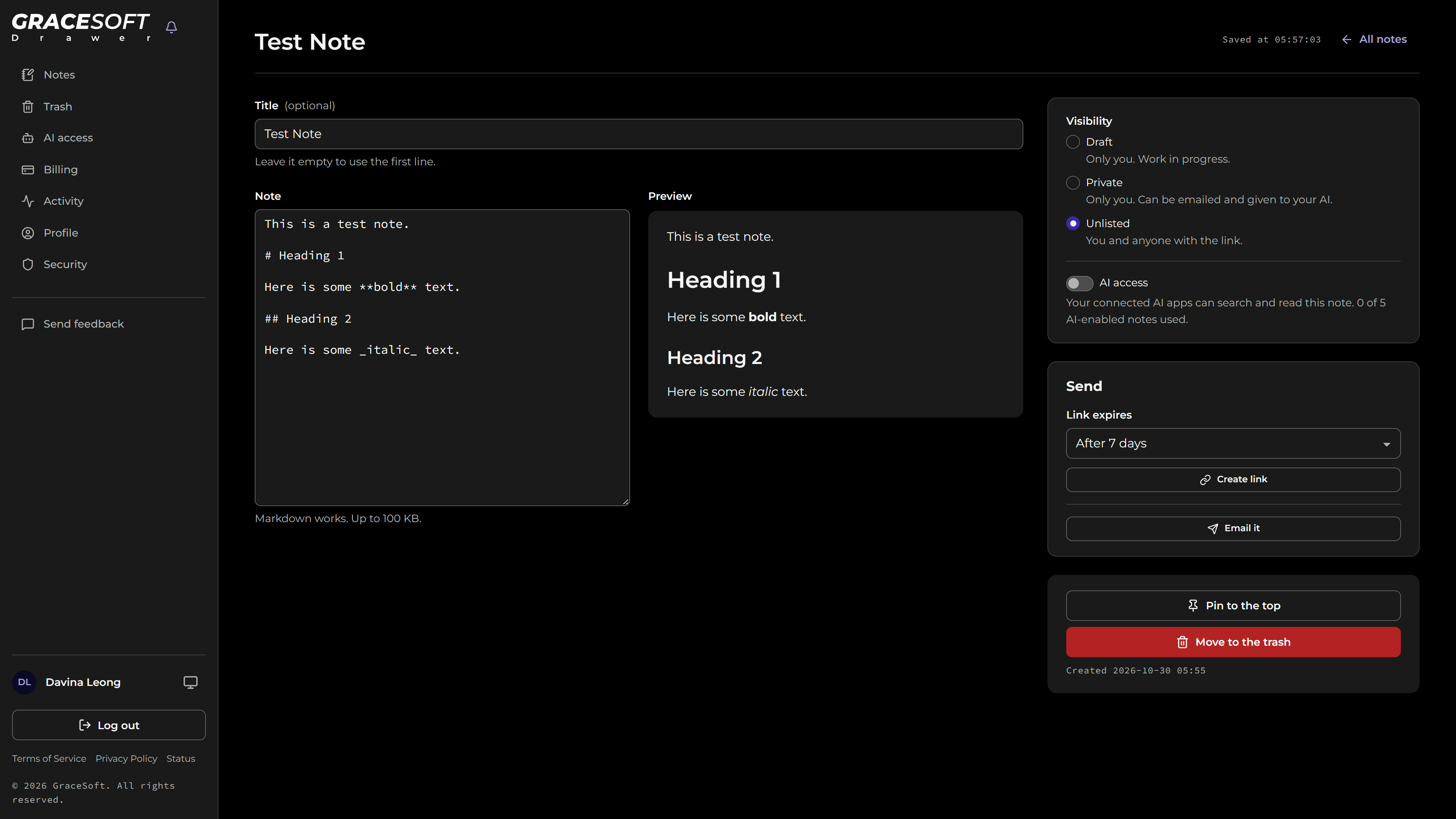
Write in Markdown, see it as you go
A live preview beside the editor and autosave as you type. Visibility, AI access, sharing and pinning are all on the same screen, so you always know who can see a note.
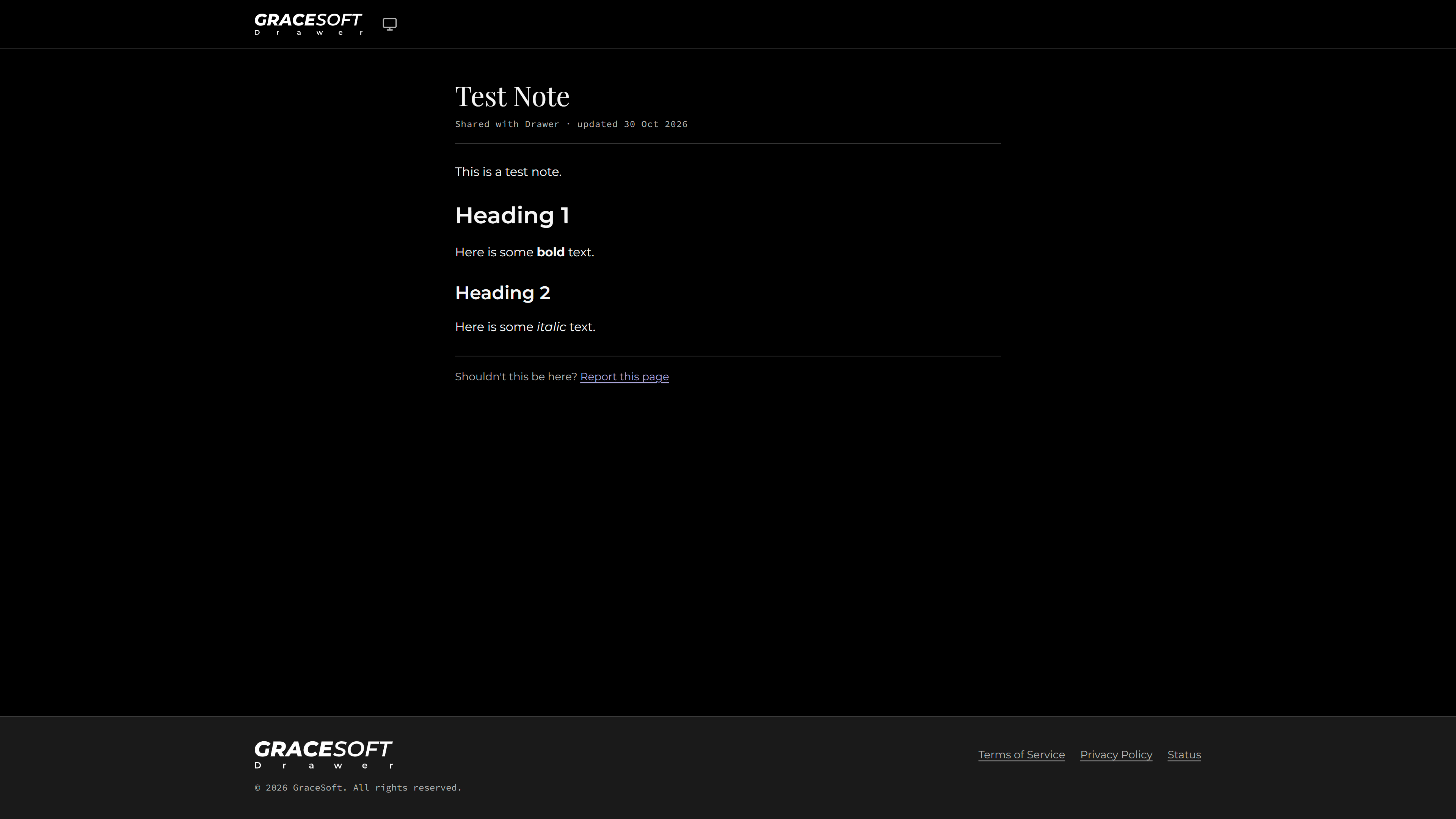
A clean page for the people you send it to
Unlisted notes get a plain, readable link with no sign-in. Links can expire, be revoked at any time, and are hidden from search engines.
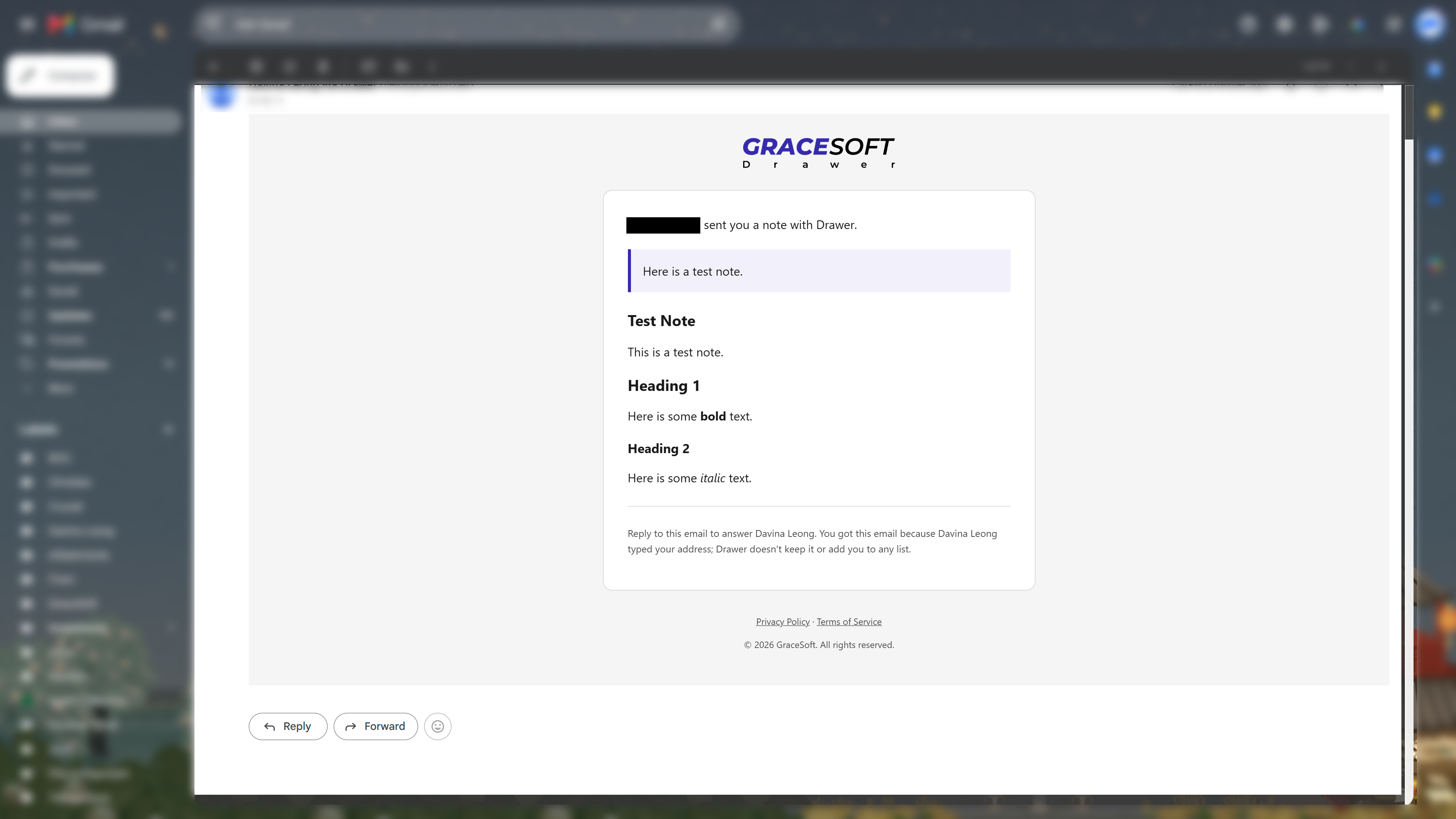
Send it straight to an inbox
"Email it" sends the note itself, with your own message, to up to five people. Replies come back to you, and Drawer doesn't keep their addresses or add them to any list.
How It Works
- 01
Put it down
Press N and type, or paste. Notes are Markdown with a live preview and autosave, so there's no template to fill in and nothing to lose.
- 02
Find it fast
Press / to search everything, then filter by visibility, AI access or pinned. Pin the notes you reach for most.
- 03
Share only what you choose
Send a single note as a link or an email, and switch on AI access one note at a time. Everything else stays yours.
Features
Private by Default
Every note starts as a draft or private. A note is only reachable by someone else when you make it unlisted and send the link.
Share Links You Control
Links can expire, be revoked or regenerated, show a view count and are hidden from search engines.
Email It
Send a note straight to up to five inboxes, including your own, with sensible hourly and daily limits.
AI Access, Note by Note
Connect Claude, ChatGPT or Claude Code over MCP. AI apps see only the notes you switch on, and every read is logged.
Safe by Design
Passkeys and two-factor sign-in, a strict Content Security Policy, and Markdown rendered without raw HTML or remote images.
Your Notes, Your Way Out
Export every note as Markdown, and deleting your account removes your notes, links and AI connections.
Use Cases
AI Prompts & Context
Keep the prompts and background you give AI tools in one place, and let your AI read only the ones you choose.
Snippets & Commands
Stop emailing yourself code, commands and config. Find them again with one keystroke.
Drafts in Progress
Write a post or a reply as a draft, then send it as a link when it's ready.
Sharing One Thing
Hand someone a single note without giving them access to anything else.
Drawer is free to start, with a Pro plan for unlimited AI-enabled notes, higher email limits and links that never expire. See pricing.